- საწყისი გვერდი /
- Software /
- Business & Office /
- Communication /
- Remote Access /
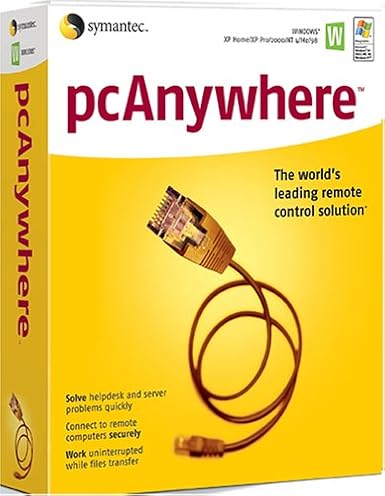
- SYMANTEC pcAnywhere 11.5 Host ( Windows )
0 ratings


ერთეულის #:
124881647
SYMANTEC pcAnywhere 11.5 Host ( Windows )
ერთეულის #:
124881647
GEL 176
Price Details
Excluding Shipping & Custom charges ( Shipping and custom charges will be calculated on checkout )
*All items will import from აშშ
0 ratings
დაწერეთ მიმოხილვა
Საწყობში
 იმპორტირებულია USA მაღაზიიდან
შეუკვეთეთ ახლავე და მიიღეთ ხუთშაბათი, აგვისტო 13
Secured transaction
Ubuy works hard to protect your security and privacy. Our advanced payment security system ensures confidentiality by encrypting your information during transmission using AES (Advanced Encryption Standards) and SSL (Secure Socket Layer) protocols. Your payment details are 100% secure as we do not share your payment details with third party sellers.
Our Top Logistics Partners


Manage Windows and Linux systems with ease using SYMANTEC pcAnywhere 11.5, featuring remote management and collaborative tools.

Fast
Shipping

Free
Return*

Secure Packaging

100% Original Products

PCI DSS Compliance

ISO 27001 Certified


Note: Step Down Voltage Transformer required for using electronics products of აშშ store (110-120). Recommended power converters იყიდე ახლა.


What Stands Out
Remote Access
Enables seamless remote access to your PC from any location, allowing users to troubleshoot and manage systems effortlessly, reducing downtime and increasing productivity.
Cross-Platform Support
Compatible with various operating systems, ensuring flexibility for users who need to connect from different devices, enhancing accessibility without compromising performance.
Robust Security
Offers encrypted connections and secure authentication methods, safeguarding sensitive information while providing reliable remote support to businesses, thus ensuring peace of mind for users.
Პროდუქტის აღწერილობა
| Is Discontinued By Manufacturer | No |
| Package Dimensions | 9.7 x 7.9 x 2.7 inches (24.6 x 20.1 x 6.9 cm); 4 Pounds (1.81 kg) |
| Date First Available | December 2, 2004 |
| Manufacturer | Symantec |
Who Should Buy?

-
IT Support Teams
Ideal for IT professionals who need to provide remote assistance and troubleshoot client machines effectively.
-
Remote Workers
Beneficial for employees working from home, allowing secure access to office networks and resources easily.
-
Small Businesses
Great for small companies requiring simple remote access solutions for collaboration without heavy infrastructure investments.

-
Casual Users
Not suitable for individuals looking for basic consumer-level remote access without advanced features or complexities.
პროდუქტის აღწერილობა
SYMANTEC pcAnywhere 11.5 Host ( Windows )
გაქვთ რაიმე შეკითხვა? მოგვმართეთ ჩათში
მომხმარებელთა შეკითხვები და პასუხები
-
კითხვა:
What is SYMANTEC pcAnywhere 11.5 Host used for?
პასუხი: SYMANTEC pcAnywhere 11.5 Host is a remote desktop software that allows you to remotely control computers over the internet. This is particularly useful for IT professionals who need to provide support or access systems from different locations. The software supports file transfer, remote desktop access, and multi-user capabilities, making it ideal for troubleshooting, maintenance, and remote work scenarios. -
კითხვა:
Is SYMANTEC pcAnywhere compatible with all Windows versions?
პასუხი: While SYMANTEC pcAnywhere 11.5 Host is designed to work with many Windows versions, specific compatibility may vary. It's primarily compatible with Windows XP, Vista, 7, 8, and some server versions. Before installation, it's advisable to check your system specifications to ensure compatibility, as this ensures seamless operation and troubleshooting without hitches. -
კითხვა:
Can multiple users access SYMANTEC pcAnywhere 11.5 Host at the same time?
პასუხი: Yes, SYMANTEC pcAnywhere 11.5 Host supports multi-user sessions. This means that several users can connect to the host machine simultaneously, allowing for collaboration during technical support scenarios or team meetings. It's particularly effective in business environments where remote collaboration is necessary, as it enables teams to work together seamlessly despite geographical distances. -
კითხვა:
How secure is SYMANTEC pcAnywhere 11.5 Host for remote sessions?
პასუხი: SYMANTEC pcAnywhere 11.5 Host incorporates advanced security features, including 256-bit encryption, to ensure secure remote connections. This level of security is essential for protecting sensitive data during remote access. Utilizing these features minimizes the risk of unauthorized access, making it a preferred choice for businesses that handle confidential information. -
კითხვა:
What types of file transfer capabilities does SYMANTEC pcAnywhere 11.5 Host offer?
პასუხი: SYMANTEC pcAnywhere 11.5 Host includes robust file transfer features that allow users to easily send and receive files between connected systems. This functionality is invaluable for IT professionals who need to deploy updates or patches remotely, and for users who require access to files stored on different machines, thus streamlining workflow and enhancing productivity. -
კითხვა:
Does SYMANTEC pcAnywhere support mobile devices?
პასუხი: SYMANTEC pcAnywhere 11.5 Host does not natively support mobile devices; it is primarily for desktop and laptop environments. However, with remote desktop apps available for smartphones and tablets, you can connect to pcAnywhere sessions indirectly. This expansion encompasses various use cases, such as troubleshooting or accessing files on the go, thereby increasing flexibility and responsiveness. -
კითხვა:
What are the key features of SYMANTEC pcAnywhere 11.5 Host?
პასუხი: Key features of SYMANTEC pcAnywhere 11.5 Host include remote access, file transfer, multi-user support, and advanced security options. These functionalities make it suitable for diverse scenarios such as technical support, team collaboration, and remote work environments. Users appreciate its versatility and reliability, ensuring efficient connectivity and management across multiple devices. -
კითხვა:
How do I install SYMANTEC pcAnywhere 11.5 Host?
პასუხი: To install SYMANTEC pcAnywhere 11.5 Host, download the software from a trusted source, run the installer, and follow the on-screen instructions. After installation, you must configure the host settings according to your network preferences. This setup allows for customized access control, enhancing usability and ensuring the software fits your specific remote access needs. -
კითხვა:
Can I customize the settings of SYMANTEC pcAnywhere 11.5 Host?
პასუხი: Yes, SYMANTEC pcAnywhere 11.5 Host offers various customizable settings to tailor the software to your needs. Users can adjust preferences for connection security, user permissions, and interface display options. Such customization helps optimize performance for specific tasks like remote troubleshooting or collaborative work without compromising the software's functionality. -
კითხვა:
Where can I buy SYMANTEC pcAnywhere 11.5 Host (Windows) in Georgia?
პასუხი: You can purchase SYMANTEC pcAnywhere 11.5 Host (Windows) from Ubuy in Georgia. Ubuy offers a reliable platform to acquire this software, ensuring you have access to the latest features and support. It’s recommended to check the website for availability and to explore various options that meet your specific requirements.
Symantec Remote Access Editorial Review
სარედაქციო მიმოხილვები ვერ მოიძებნა
Customer Reviews & Ratings
1 მომხმარებლის შეფასება
-
5 ვარსკვლავი
100%
-
4 ვარსკვლავი
0%
-
3 ვარსკვლავი
0%
-
2 ვარსკვლავი
0%
-
1 ვარსკვლავი
0%
ამ პროდუქტის მიმოხილვა
გაუზიარეთ თქვენი აზრები სხვა მომხმარებლებს
Დადებითი
- Easy installation process
- User-friendly interface
- Remote access capabilities
- Compatible with various devices
- Decent performance for basic tasks
მინუსები
- Limited support for modern systems
Platform Trust & Buyer Confidence

MA
Mohammad
Verified buyer
“Excellent quality and original too,when ubuy send original things I will appreciate that ,I very satisfied thank you”
23 July 2026 · via Trustpilot
CK
Chitra
Verified buyer
“The order and delivery progress was communicated very well. Package arrived within the estimated time. Products arrived as expected in good condition.”
22-Jul-26 · via Trustpilot
K
kund
Verified buyer
“Good supply of products. Safe payment methods, and shipment worldwide! Genuine products.”
23-Jul-26 · via Trustpilot
OO
Onesi
Verified buyer
“Was my first time buying a product from Ubuy, but I found it so helpful. This is reliable. Gonna place a new order!”
22 July 2026 · via Trustpilot
SJ
SAO JOHN
Verified buyer
“Ubuy is a great online platform to buy stuff. Reliable, fast delivery time and great value for money. I've been using Ubuy online shopping platform for three years now and will continue to do so.”
23 July 2026 · via Trustpilot
უსაფრთხო კონტროლი
Global Delivery
Easy Returns
Genuine Products
Product Price History
მნიშვნელოვანი ინფორმაცია
- შეზღუდვები: გთხოვთ, გაითვალისწინოთ, რომ საზღვარგარეთ გაგზავნილი პროდუქტებისთვის მწარმოებლის გარანტია შეიძლება არ იყოს მოქმედი; მწარმოებლის მომსახურების პარამეტრები შეიძლება არ იყოს ხელმისაწვდომი; პროდუქტის ინსტრუქციები და უსაფრთხოების გაფრთხილებები შეიძლება არ იყოს დანიშნულების ქვეყნის ენაზე; პროდუქტები (და მასთან დაკავშირებული მასალები) შეიძლება არ იყოს შემუშავებული დანიშნულების ქვეყნის სტანდარტების, სპეციფიკაციებისა და მარკირების მოთხოვნების შესაბამისად; და პროდუქტები შეიძლება არ შეესაბამებოდეს დანიშნულების ქვეყნის ძაბვისა და სხვა ელექტრო სტანდარტებს (საჭიროების შემთხვევაში საჭიროა ადაპტერი ან გადამყვანი). მიმღები პასუხისმგებელია უზრუნველყოს, რომ პროდუქტი კანონიერად შემოიტანოს დანიშნულების ქვეყანაში. Ubuy-ს ან მისი აფილირებული პირების მეშვეობით შეკვეთისას მიმღები არის რეგისტრირებული იმპორტიორი და მან უნდა გაითვალისწინოს დანიშნულების ქვეყნის ყველა კანონი და დებულება.
- Ubuy-ზე ჩამოთვლილი ყველა პროდუქტი არ არის გაყიდვაში, რადგან Ubuy არის გლობალური საძიებო სისტემა და პროდუქტები ექვემდებარება საექსპორტო/სავაჭრო რეგულაციებს.
GEL 176
შეუკვეთეთ ახლავე და მიიღეთ ხუთშაბათი, აგვისტო 13
This item is not restrict in my country.(Please click on above link if this item is not restrict in your country, So our team will review and allow.)
QTY:
Secured transaction
PCI DSS compliant and ISO 27001:2022 certified, with encrypted payments and full buyer protection on every order.
Our Top Logistics Partners
Fastest cross-border delivery
მახასიათებლები და უპირატესობები
- Manage both Windows and Linux systems remotely.
- Access system utilities directly for efficient troubleshooting.
- Run simple batch transfers with pcAnywhere Command Queue.
- Streamline collaboration with concurrent remote connections.
- Easily control hosts with options to restart, shut down, or lock.
- View applications, event logs, and even edit system files remotely.
Ubuy Assurance
Experience worry-free shopping with 100% original products, PCI DSS-compliant payment security, ISO 27001-certified data protection, the fastest cross-border delivery, free returns *, and secure packaging on every order.